
How to apply WCAG accessibility standards in eLearning
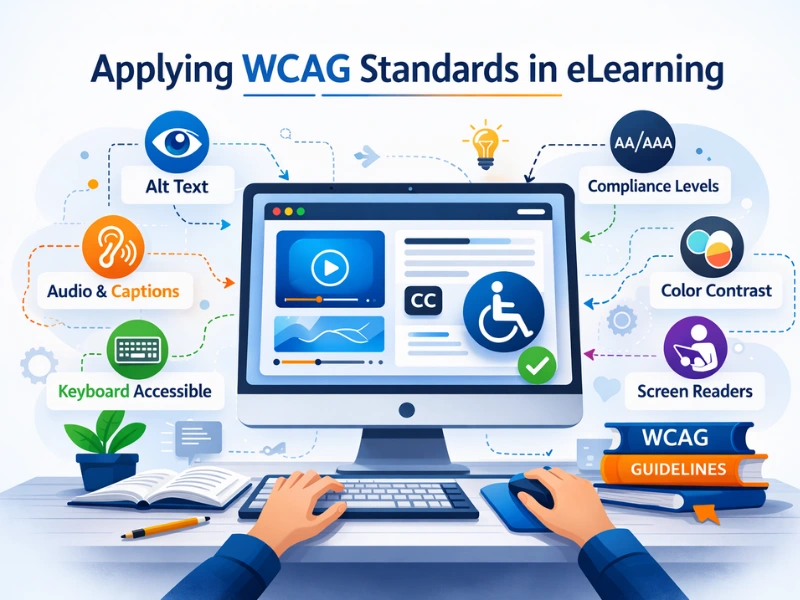
There is only one applicable standard when it comes to measuring the accessibility of web-based content, and that is the Web Content Accessibility Guidelines (WCAG). WCAG is a universally accepted standard designed with the purpose of making the web more accessible to people with disabilities including blindness, low vision, deafness, hearing loss, learning disabilities, cognitive limitations, limited movement, speech disabilities, photosensitivity, and combinations of these disabilities.
When do WCAG guidelines apply to eLearning
Accessibility of content should be an important consideration for the instructional designer, and should be central to the design of any best practice eLearning project. Indeed, ‘accessibility’ should be the bare minimum standard applied in the creation of effective online training content. Where an online training package may be presented to people with disabilities, and/or when it necessary to ensure that an eLearning package complies with a universally accepted accessibility standard, the WCAG 2.0 guidelines must be applied.
History of WCAG
The aggregation of the WCAG standard was developed by a committee of the World Wide Web Consortium (W3C), a publicly funded member-based organisation with a mission to ‘lead the World Wide Web to its full potential by developing protocols and guidelines that ensure the long term growth of the web.’ In addition to the WCAG, the W3C develop other standards such as HTML and CSS.
The first set of WCAG standards, developed in 1994, included 14 guidelines that included the need to provide text equivalents for non-text web-based content. By 2008, the guidelines evolved to WCAG 2.0, which expanded the scope and depth of the standard considerably. WCAG 2.0 is applicable to all internet-based content, including applications (both mobile and web) and documents. In 2018, WCAG 2.1 included additional provisions that accounted for technological advancements over the previous decade, particularly in relation to mobile devices. WCAG 2.1 adds to already existing criteria by incorporating provisions for people with low vision and cognitive disabilities, with the aim of ensuring digital platforms are inclusive for all users.
History of WCAG
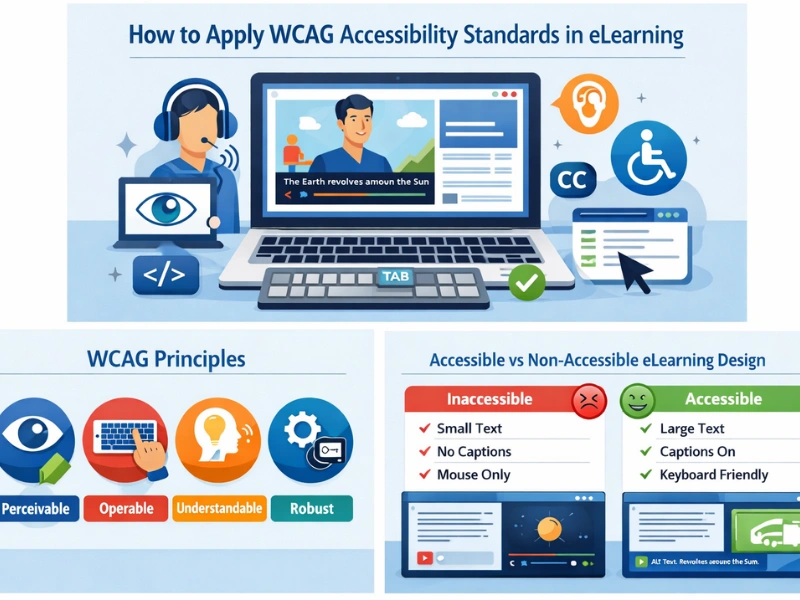
The WCAG standards are organised into principles (illustrated in figure 1 below):
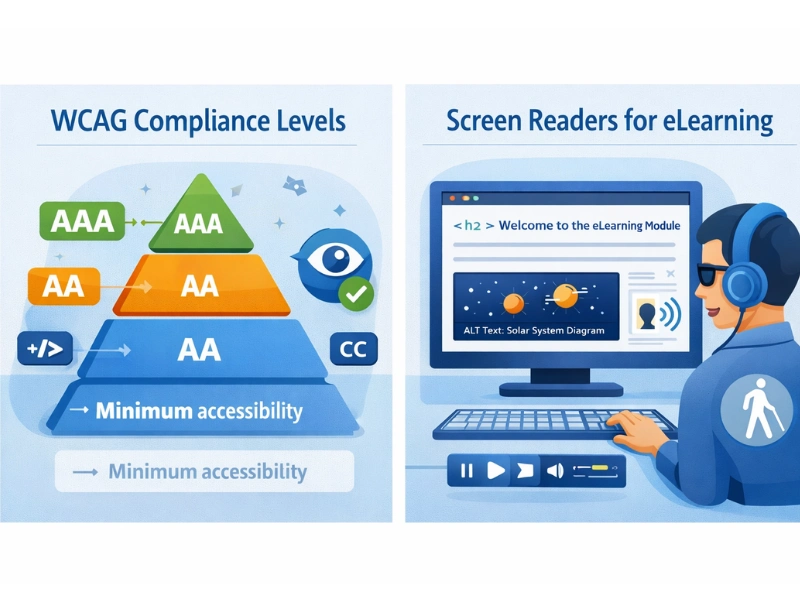
WCAG 2.0 Compliance Levels (Level A, AA, AAA)
WCAG 2.0 guidelines are organised into three levels of compliance:
- Level A – lowest accessibility compliance
- Level AA – mid-range accessibility compliance
- Level AAA – highest accessibility compliance.
Conformance at a higher level implies adherence to lower level requirements; for example, to reach a AAA standard, all requirements at levels A and AA must also be complied with.
It is important to recognise that achieving high compliance standards (Level AA and AAA) can be onerous and expensive to achieve. Striving for compliance at these levels should be undertaken after careful consideration of the target audience, the nature of the course, and context in which it is being delivered.
WCAG 2.0 in eLearning
The WCAG 2.0 and 2.1 guidelines are comprehensive, as they are intended to cover the delivery of content through all forms of digital communication. This can make them confronting in their scope, and very time-consuming to navigate. The tabular information below provides a modified and simplified representation of the standards for use in the design and development of online training courses.
Disclaimer:
The guidelines in the table below are not a comprehensive representation of the complete WCAG 2.0/2.1 standard. If formal claims of WCAG compliance are required for legal or commercial purposes, the full descriptions and explanations of the standard must be applied.
A text version of the following eLearning WCAG table is provided below the image.
WCAG 2.0 Guideline for adoption in the development of eLearning applications
eLearning Content Type or feature – General
Level A:
- All functionality is operable using a keyboard.
- Ensure users are not trapped in a subset of content that can only be exited by using a mouse or pointing device.
- Slides or pages do not contain anything that flashes more than three times in a second.
- Ensure text to be read by assistive technologies (e.g. screen readers) is correctly sequenced for easy reading and interpretation.
Level AAA:
- Context-sensitive help is available.
eLearning content type: Language
Level A:
- The default human language can be determined. Use the ‘lang’ HTML attribute.
Level AA:
- Clearly identify any changes in language in a section of text using the ‘lang’ HTML attribute
Level AAA:
- Where unusual words are used, a mechanism for identifying the definition of words or phrases is available.
- Where abbreviations are used, a mechanism for identifying the expanded form is available.
- Where text requires a reading ability more advanced than lower secondary, provide an alternative text summary that can be understood by people with a lower reading ability.
eLearning content type: Headings
Level A:
- All slides and pages have a title that describes the topic.
Level AAA:
- Section headings are used to organise the content.
eLearning content type: Navigation
Level A:
- Information and the operation of the eLearning package must be understandable.
Level AA:
- Consistent navigation mechanisms are applied on all slides in the eLearning package.
Level AAA:
- Information about the user’s location, or point of progression in the training package is available (e.g. menu).
eLearning content type: Time restrictions
Level A:
- Ensure users have enough time to read and use the content. The user must have the ability to pause or reasonably extend any time limits.
Level AAA:
- Timing is not an essential part of the display or activity, except for non-interactive media and real-time events.
eLearning content type: Text links
Level A:
- The purpose of text links can be determined from the link text alone.
eLearning content type: Text
Level AA:
- Text has a contrast ratio of at least 4.5:1.
- Text can be resized without assistive technology up to 200 percent.
- Use text rather than images of text.
Level AAA:
For blocks of text, provide a mechanism for:
- foreground and background colours to be selected by the user;
- width is no more than 80 characters;
- text is not justified;
- line spacing is at least a space-and-a-half; and
- paragraph spacing is 1.5 times larger than the line spacing.
eLearning content type: Labels, Instructions and Error Notifications
Level A:
- Labels or instructions are provided when content requires user input.
- If an error is automatically detected, it is identified and described to the user in text.
Level AA:
- Where errors are automatically detected, suggestions to resolve the error are provided.
eLearning content type: Images and audio that are purely decorative
Level A:
- Implement in a way that it can be ignored by assistive technology
eLearning content type: Images that contribute to learning
Level A:
- Text alternatives must at least provide a descriptive identification.
- Where image(s) are presented to explain information, structure or relationships, explanation must also be provided as text.
eLearning content type: Non text buttons and instructions (audio and images)
Level A:
- Must have a text description that describes the purpose of such non-text content. The colour or shape of the item must not be the only visual means of conveying information or requiring a response.
eLearning content type: Pre-recorded audio
Level A:
- Provide a text-based description that communicates the same message (e.g. an audio script).
- Captions must be provided in synchronised media, except when the media is an alternative for text and is clearly labelled as such.
- Where audio plays for more than three seconds, a mechanism to pause, stop, or change the volume independently of the overall system volume must be available.
eCommerce content type: Pre-recorded video
Level A:
- Provide a text-based description that communicates the same message (e.g. an audio script).
- Captions must be provided in synchronised media, except when the media is an alternative for text and is clearly labelled as such.
- Any visual content that moves, blinks or scrolls for more than three seconds must be able to be paused or stopped.
Level AA:
- Provide an audio version of visual content so people with low vision or blindness are able to understand the material.
Level AAA:
- Provide a sign language interpretation display.
- Provide extended audio descriptions.
eCommerce content type: Pre-recorded video
Level A:
- Labels or instructions are provided when content requires user input.
- If an error is automatically detected, it is identified and described in text.
Level AA:
- Captions are provided for all live audio content in synchronised media.
eLearning content type / feature: Slide content and structure
Level A:
- Ensure text to be read by assistive technologies (e.g. screen readers) is correctly sequenced for easy reading and interpretation.
Frequently Asked Questions(FAQs)
1. What is WCAG in eLearning accessibility?
WCAG (Web Content Accessibility Guidelines) is a global standard that ensures digital learning content is accessible to people with disabilities such as visual, hearing, cognitive, and motor impairments.
2. Why is WCAG important for eLearning content?
WCAG helps make eLearning courses usable for all learners by improving navigation, readability, captions, and compatibility with assistive technologies like screen readers.
3. What are the four WCAG accessibility principles?
WCAG is based on four principles: Perceivable, Operable, Understandable, and Robust (POUR). These ensure digital content can be accessed and understood by users with different abilities.
4. What are the WCAG compliance levels?
WCAG has three levels of compliance: Level A (basic accessibility), Level AA (recommended standard), and Level AAA (highest accessibility level). Most organisations aim for Level AA compliance.
5. How can instructional designers make eLearning content WCAG compliant?
Instructional designers can follow WCAG by adding alt text for images, captions for videos, keyboard navigation, clear headings, readable text contrast, and screen-reader friendly structure.